Android forex analytics

Forex market intelligence, signals and charts on Android

Review forex signals, multi-timeframe technical indicators, trend matrices, watchlists, pair dashboards, charts and alerts from one dedicated mobile application.

SmartEdge Analytics provides analytical market information only. It does not execute trades, manage positions, hold funds or connect to brokerage accounts.
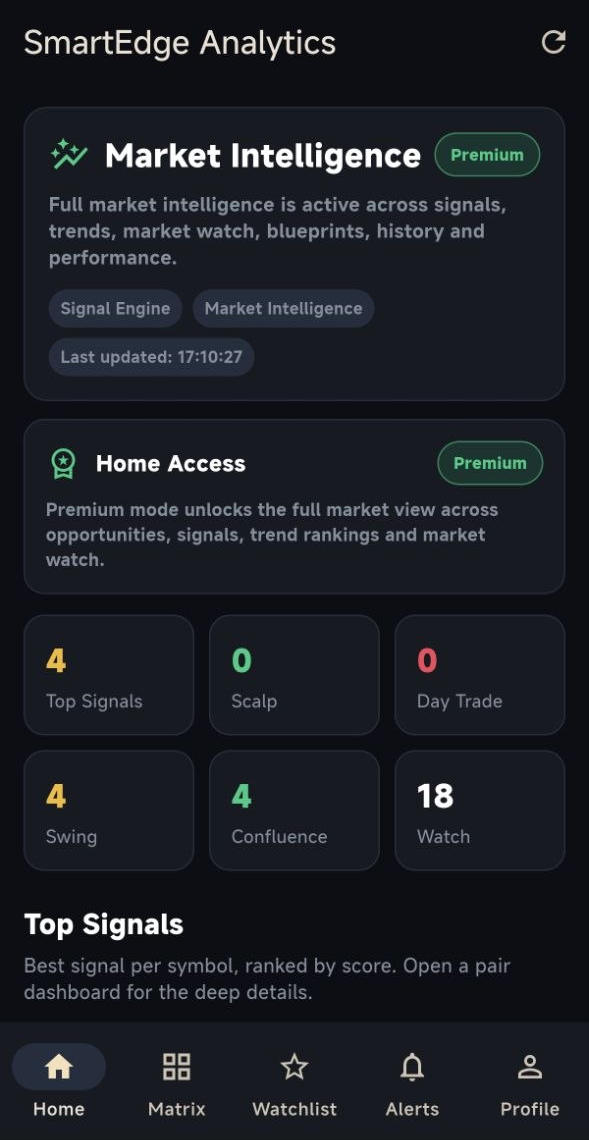
Android · Analytics only · No trade execution · No trading-account password required
SmartEdge Forex Analytics mobile application
Product boundary: SmartEdge Analytics is separate from SmartEdge EA automated execution, SmartEdge Mobile trade monitoring and SmartEdge Local Copier.
Analytics capabilities

Organise technical market information in one mobile workspace

Signals and indicator states help users review market conditions. They are analytical outputs rather than trade instructions.

Market Intelligence Dashboard

Review leading opportunities, recent market events and broad market direction from the application home screen.

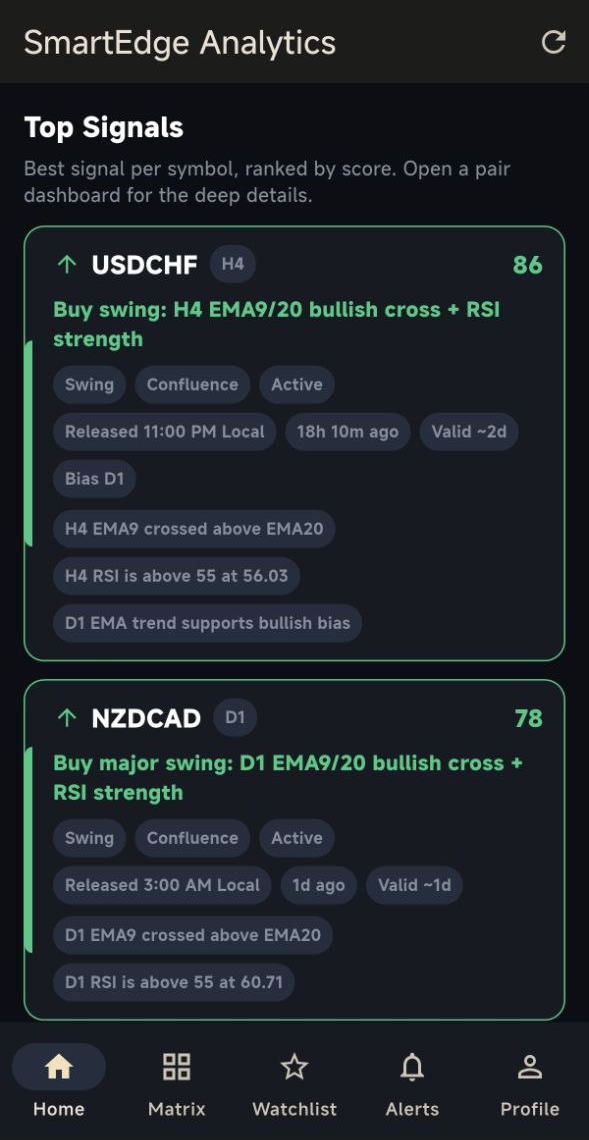
Forex Signal Engine

Follow technical market events based on trend, momentum and indicator conditions across supported symbols.

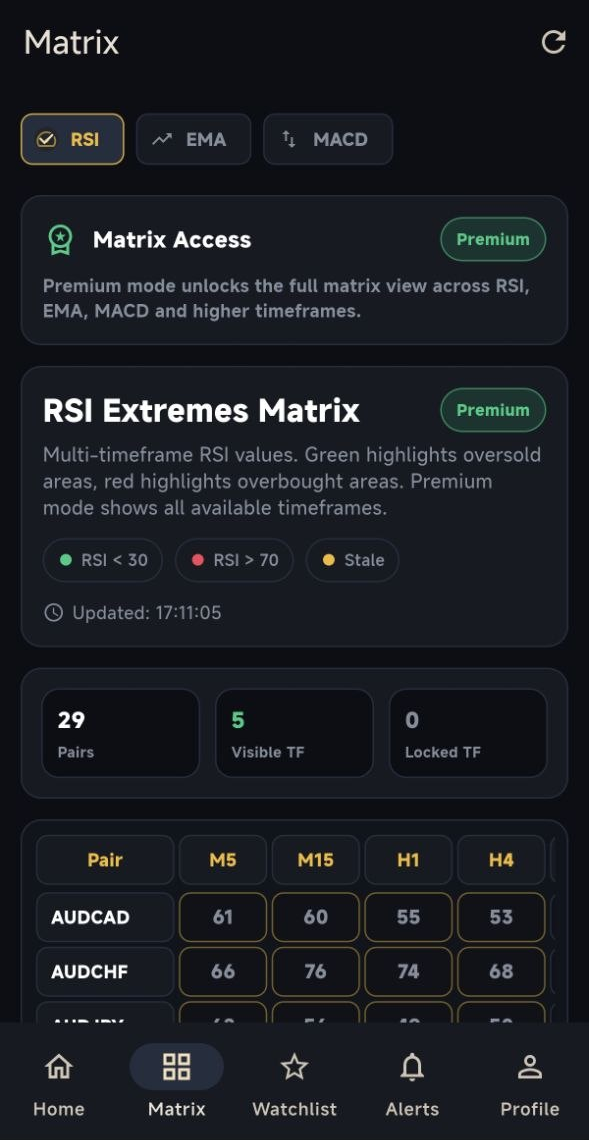
RSI, EMA and MACD Matrix

Compare indicator conditions across supported currency pairs and multiple timeframes.

Trend Matrix

Review directional conditions in a structured matrix rather than opening every pair individually.

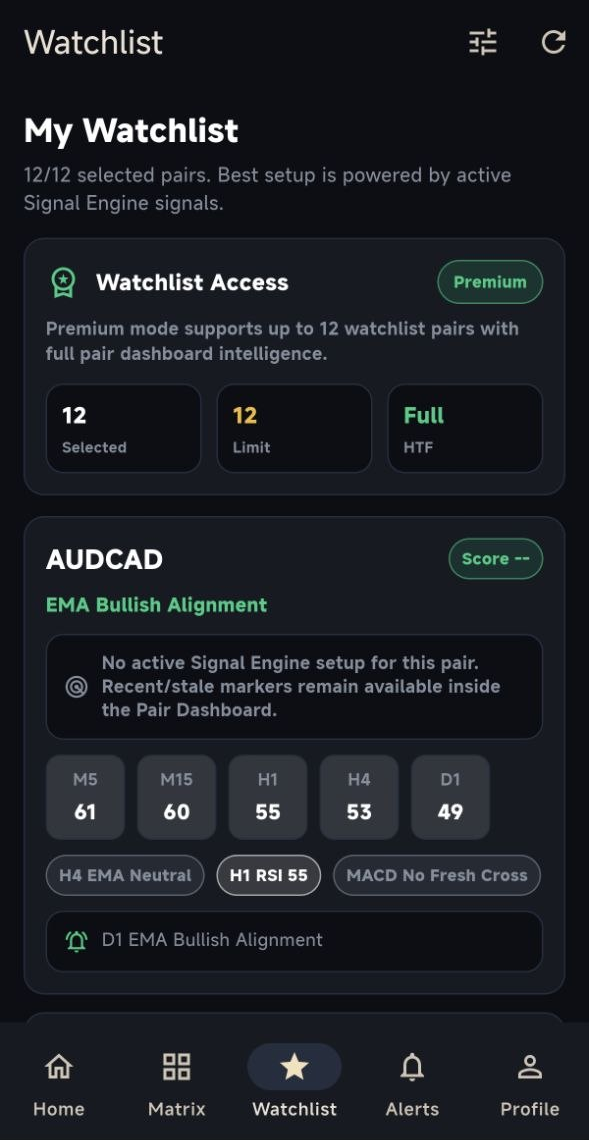
Watchlist

Save selected currency pairs and return quickly to the markets relevant to your analysis.

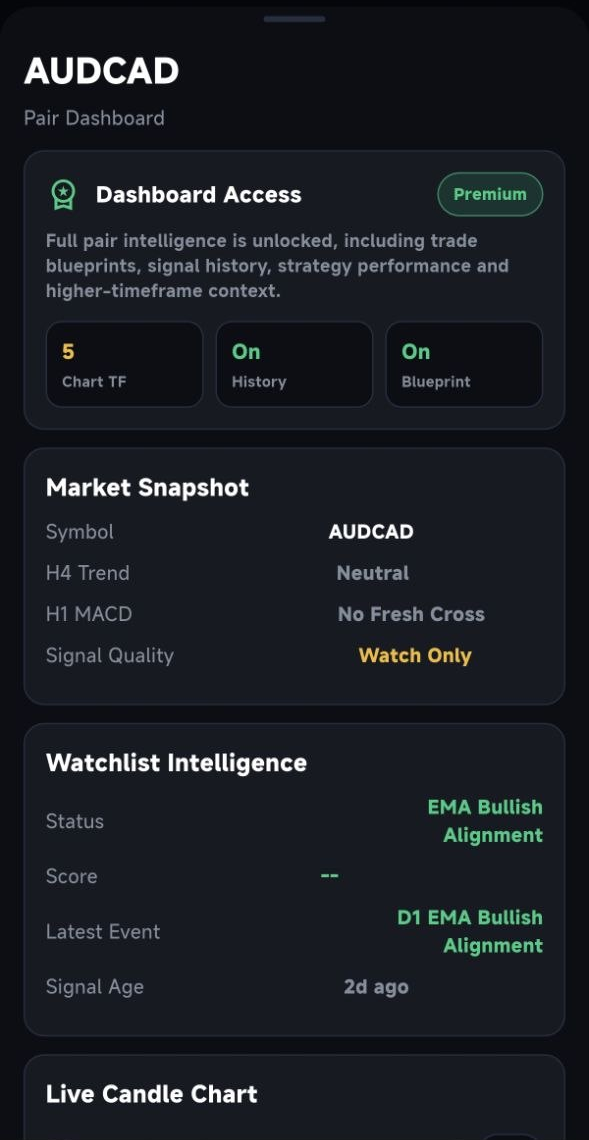
Pair Dashboard

Open a deeper market view with the current signal context, history, indicator panels and charts.

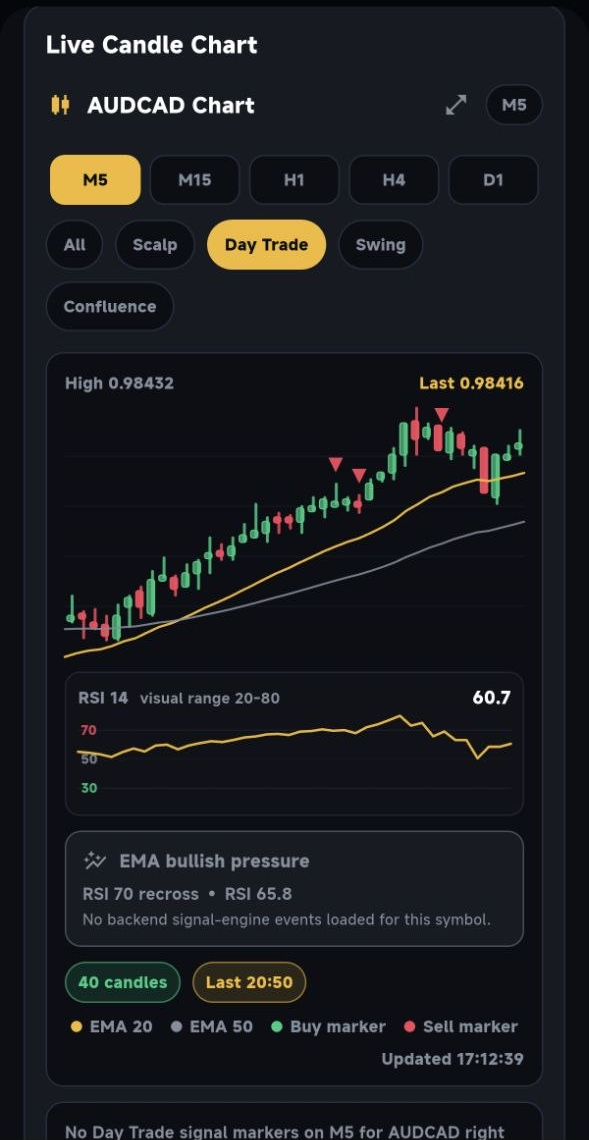
Candle Charts

Inspect candlestick data with EMA overlays and a dedicated RSI panel across supported timeframes.

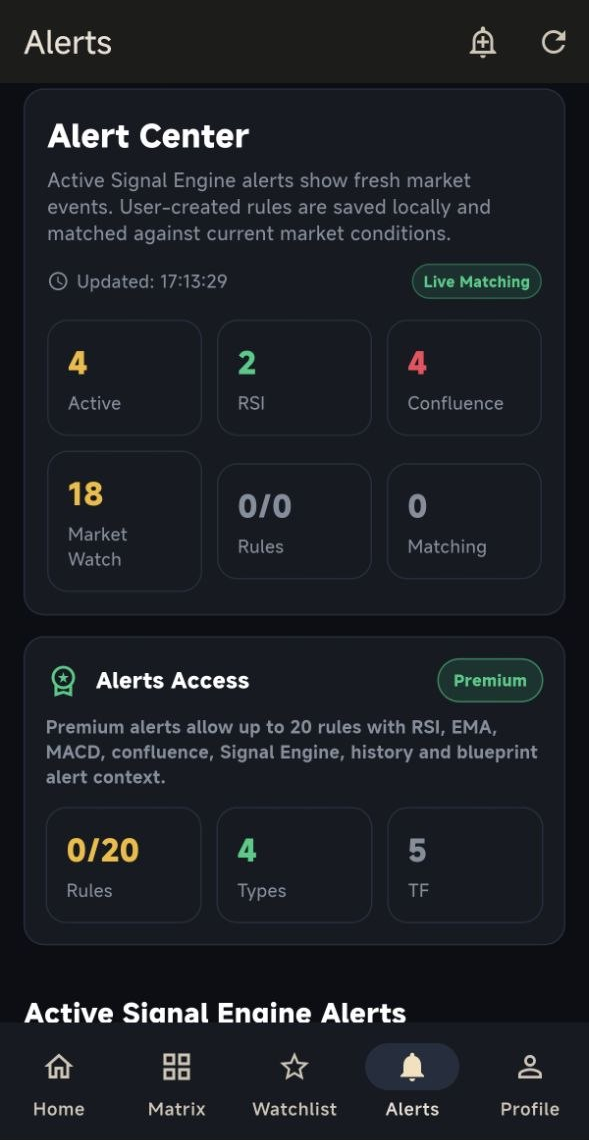
Custom Alerts

Create alert rules and compare them with current analytical market conditions.

Multi-timeframe review

Compare technical conditions without losing market context

The matrix combines supported signals and indicator states so users can compare markets before opening the detailed pair view.

  • RSI momentum context
  • EMA direction and crossover context
  • MACD momentum and crossover events
  • Multiple supported timeframes
  • Pair-level drill-down
  • Closed-candle analytical context where applicable
Application screens

Explore the SmartEdge Forex Analytics experience

Actual application screens from the current website screenshot library. Screen content and available features may evolve.
Analytical workflow

Move from market overview to pair-level analysis

1

Review the market overview

Open the dashboard to see recent analytical events and market direction.

2

Compare signals and matrices

Use the signal and matrix views to compare supported pairs and timeframes.

3

Open the pair dashboard

Inspect a selected pair with signal context, history, indicators and charts.

4

Add important pairs

Save selected markets to the watchlist for faster access.

5

Configure alerts

Create alert conditions relevant to the user’s analytical workflow.

6

Make an independent decision

Evaluate the information together with personal research and risk tolerance.

Access model

Free and Premium access managed through the Android application

Google Play displays the current price, billing period, regional availability, eligibility and any applicable trial before purchase.

Free access

Explore the available free experience

Install the app and use the functionality currently included with the free access level.

  • No website EA licence required
  • Separate Analytics app account
  • Access level controlled by the app
  • No SmartEdge website checkout
View on Google Play
Premium access

Unlock the current Premium feature set

Premium purchases, entitlement verification, renewals and cancellation are handled through Google Play and the Analytics application.

  • Google Play billing
  • App-managed Premium entitlement
  • Store-displayed current pricing
  • Store subscription rules apply
Review Current Store Offer
Official Android distribution

Download and manage billing through Google Play

SmartEdge does not collect full payment-card details for Analytics subscriptions. Google Play processes the store transaction and provides the applicable entitlement information.

  • Official package: com.smartedgetrading.analytics
  • Current offer shown before purchase
  • Subscription management through Google Play
  • Android application account and entitlement
Privacy and account control

Separate Analytics account and subscription records

Analytics account data is separate from SmartEdge EA licensing, Local Copier licences and website order records.

Protected passwords

Application passwords are stored using cryptographic password hashes.

Google Play billing

Store purchases and renewals are processed through Google Play.

Account deletion

Users can delete the Analytics account inside the app or use the public deletion page.

Separate infrastructure

Analytics account and entitlement records remain separate from EA and Local Copier licensing.

Deleting an Analytics account does not automatically cancel recurring Google Play billing. Subscription cancellation must be managed separately through Google Play.

Analytical-information notice
Signals, indicators, charts and alerts can be delayed, incomplete or incorrect. They are not personalised investment advice and do not guarantee any trading outcome.
Analytics questions

Frequently asked questions

Clear answers about execution, accounts, subscriptions, indicators, alerts and data handling.

No. It provides forex market intelligence and technical analytical information. It does not open, close or modify trades.

No. SmartEdge Analytics does not connect to brokerage accounts, hold funds or manage a portfolio.

No. SmartEdge Analytics is a standalone Android product and does not require an EA licence.

The product presentation includes RSI, EMA and MACD analysis together with trend and signal context.

Yes. Supported matrix and pair views provide multi-timeframe analytical context.

No. Analytics statistics describe analytical signal behaviour. EA performance refers to trading results from a separate product.

Google Play shows the current price, billing period, regional availability and any applicable offer before purchase.

Recurring Analytics billing is managed through Google Play subscription settings.

Use the deletion option inside the application or submit a request through the public SmartEdge account-deletion page.

No. Signals and indicators are analytical information and can be delayed, incomplete or incorrect.

Review forex market conditions from one Android application

Open the official Google Play listing to review the current application, access level and store offer.